NewThe Ofgem broker rules checklist

The system that runs a UK energy brokerage.

Every tender, contract, renewal and commission line in one place. Agents do the admin. Your people approve what matters.

Built by a working brokerage. Your data is walled off from us. How we keep it that way

One tender, from request to approval

  1. Pricing comes built in.

    Price the customer’s meters from the deal, through the suppliers you have direct or aggregator agreements with. A supplier that still prices by email gets the tender from your own mailbox, and the deal shows who has replied.

    Live supplier pricing is coming. Email tenders work today.

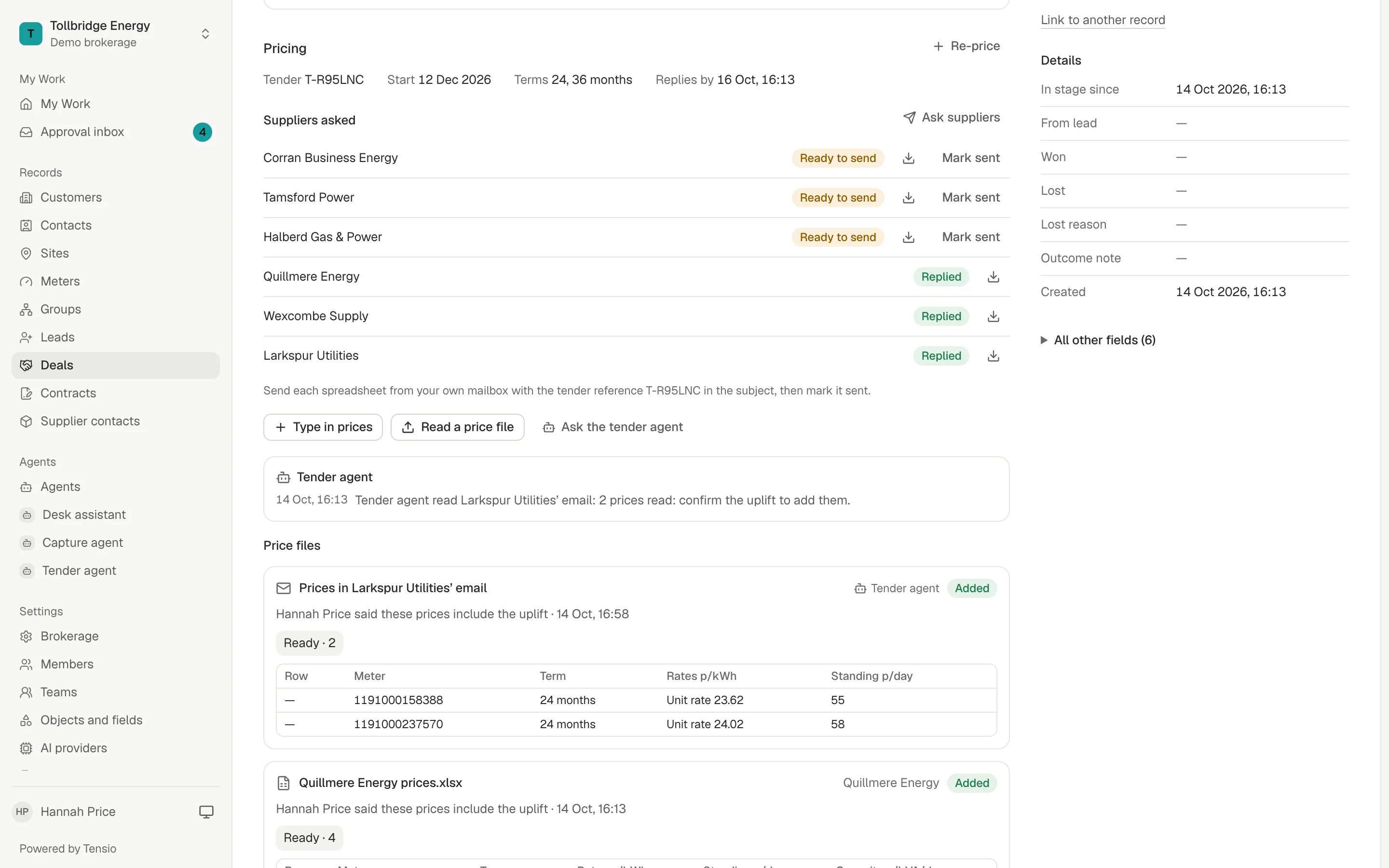
    The pricing section of the Ashby Precision Engineering deal: tender T-R95LNC, six suppliers asked, three ready to send and three replied, and a note from the tender agent.
  2. Every price lands on the deal.

    Prices from a supplier’s email or price file are read and lined up against the deal’s meters. Someone who can see commission confirms the uplift before they’re added.

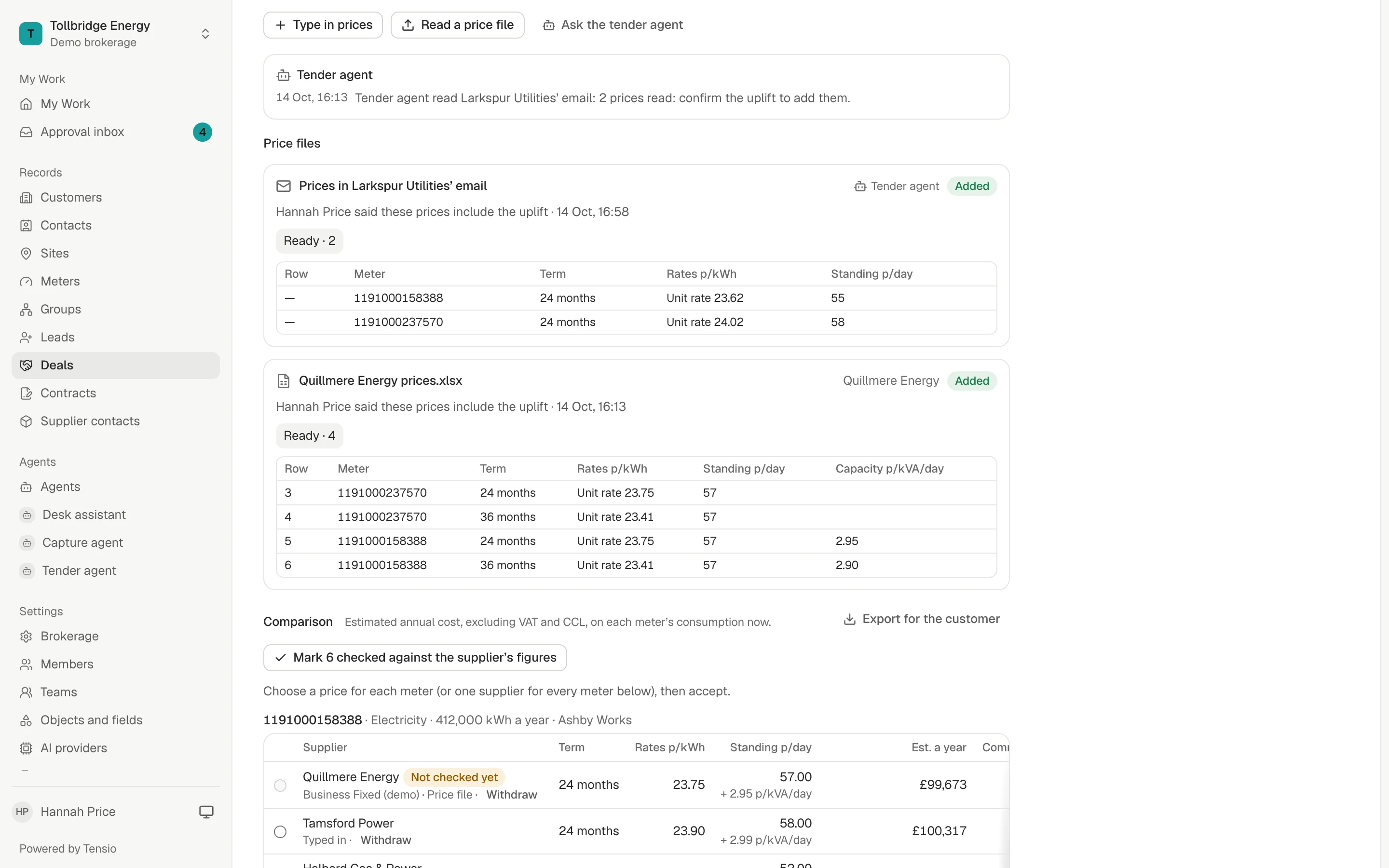
    Price files on the deal: two prices the tender agent read from Larkspur Utilities’ email, and four from Quillmere Energy’s spreadsheet, each confirmed and added.
  3. Quote the customer.

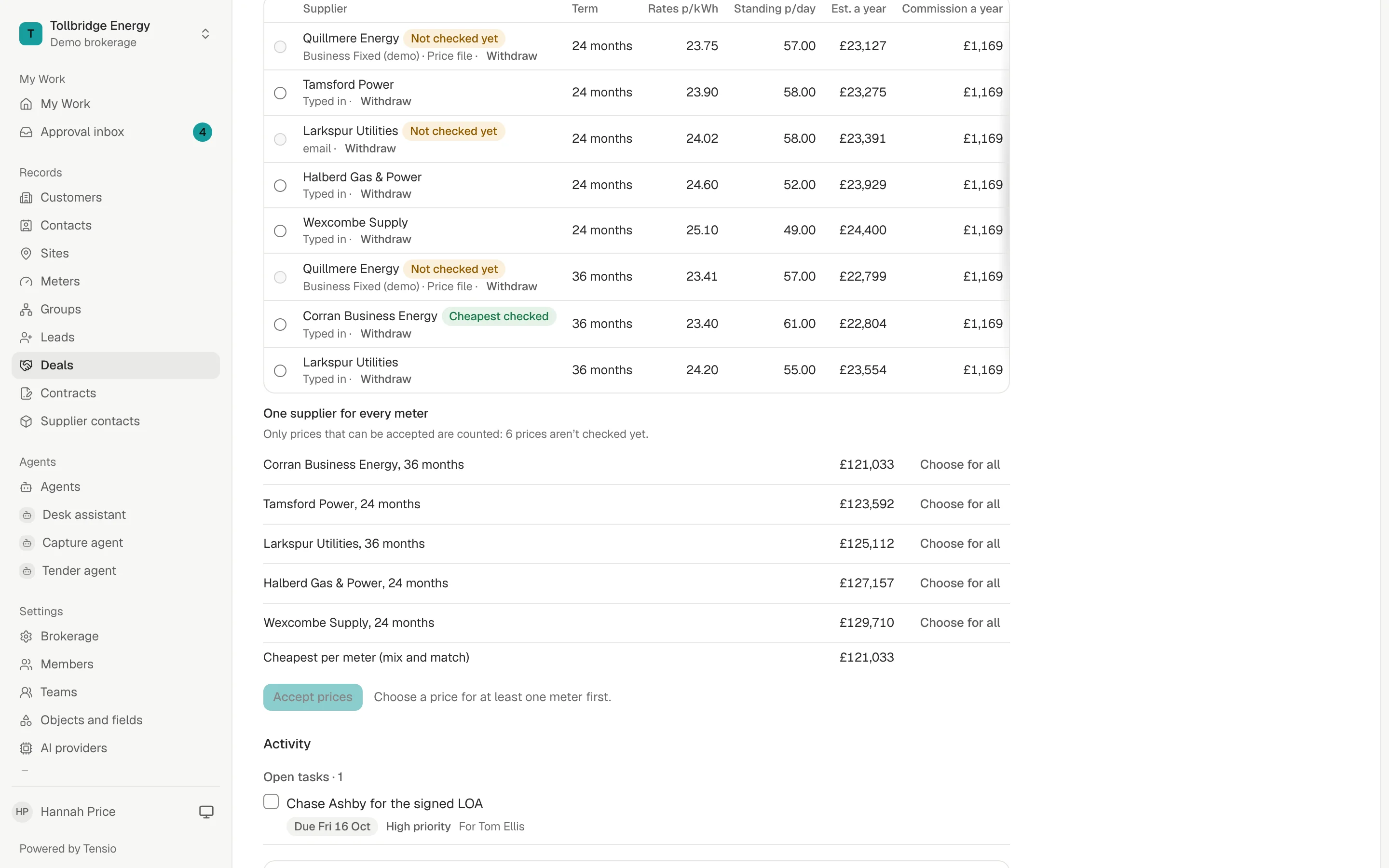
    Every price for every meter, with an estimated annual cost on that meter’s consumption. Pick per meter or one supplier for all of them, and send the customer a comparison with your logo on it.

    The comparison on the Ashby deal: each supplier’s price for a meter with its estimated annual cost, prices marked not checked yet, and the total for one supplier across every meter.
  4. Agents propose the next step.

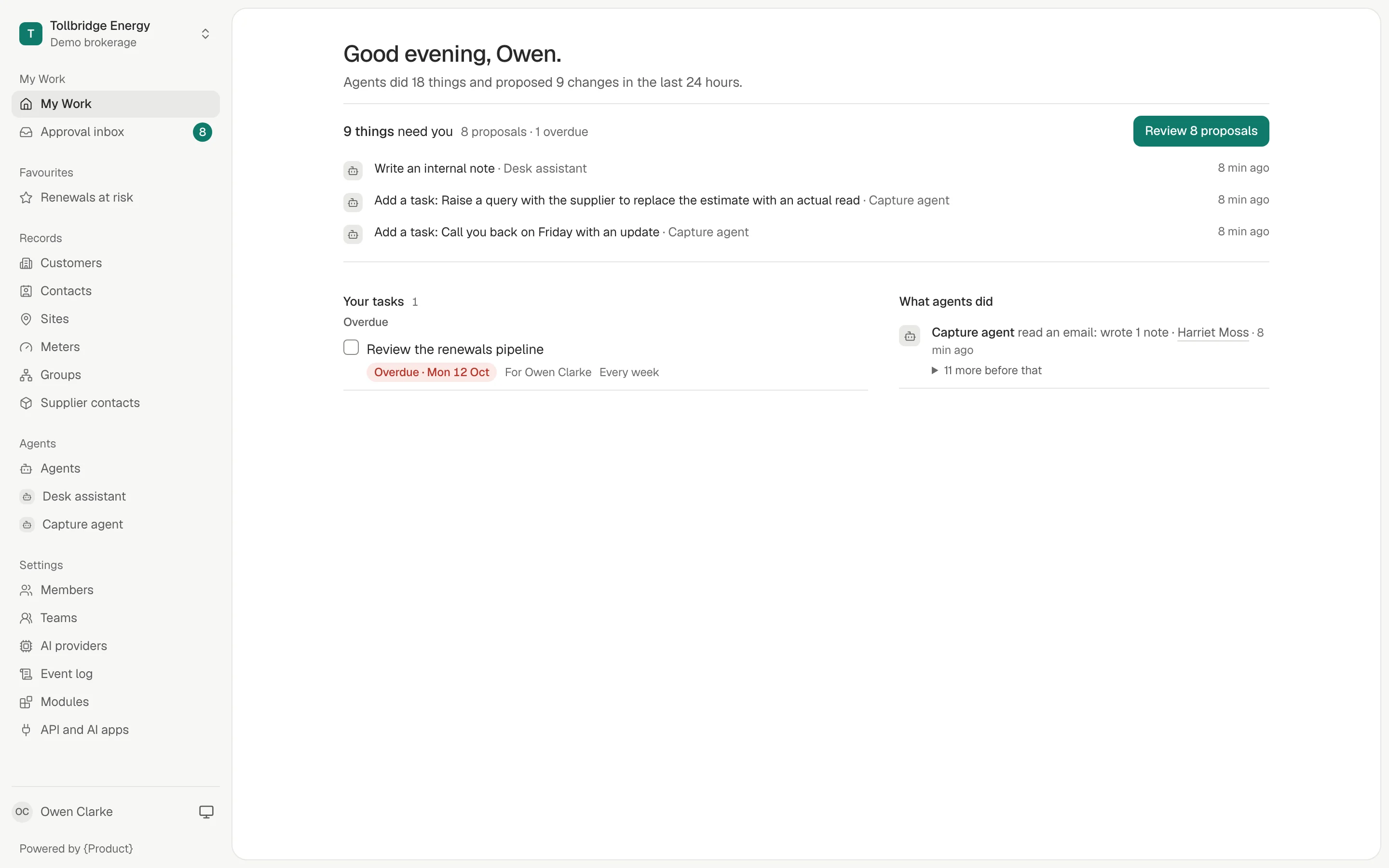
    My Work shows each person what needs them: proposals from the agents, their own tasks, and what the agents did since they last looked.

    My Work for Hannah Price at Tollbridge Energy: four things need her, three proposals from the Capture agent, and what the agents did, including the tender agent reading for a tender.
  5. A person approves.

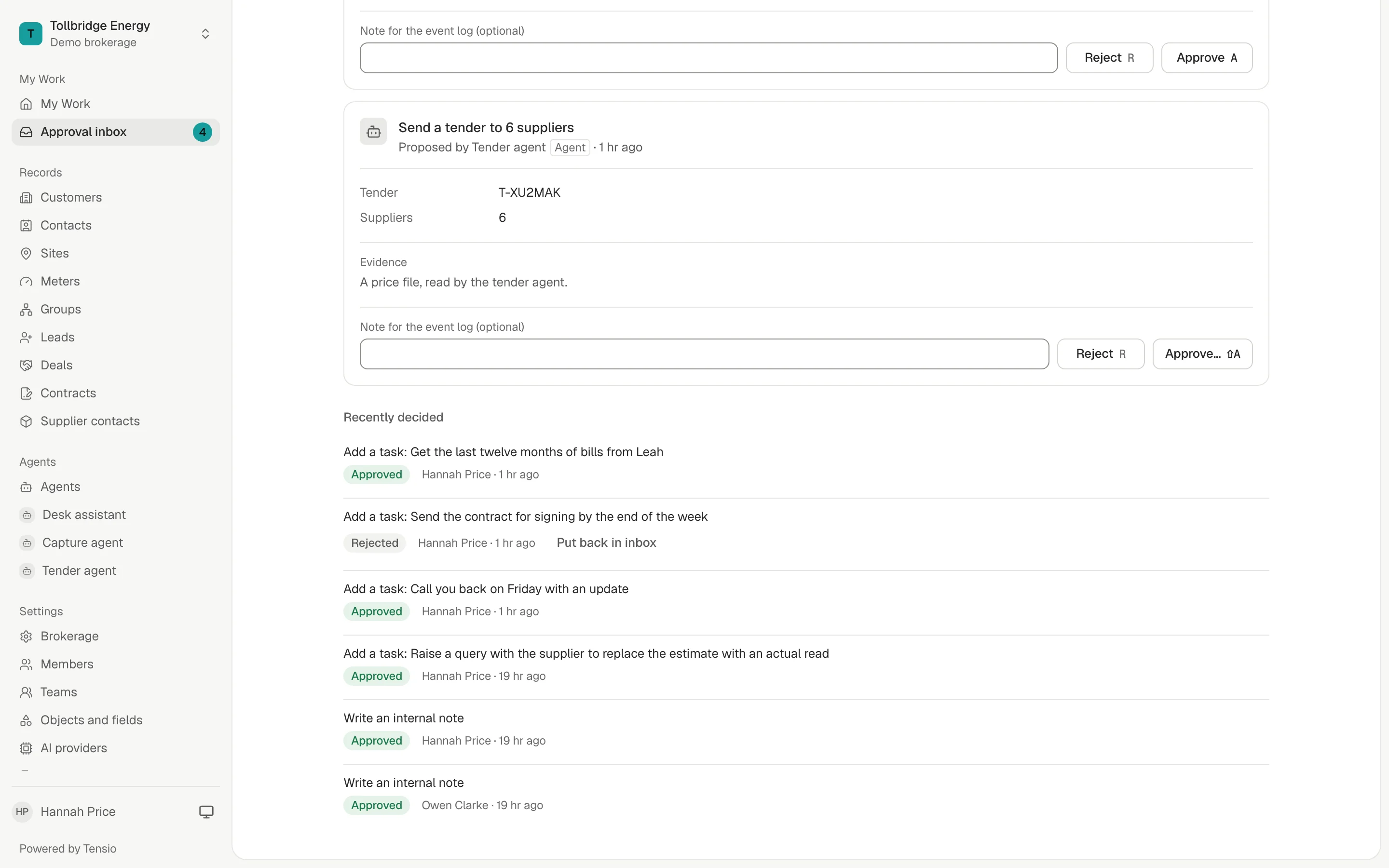
    Each proposal shows what will change and the evidence behind it. Nothing runs until a person approves it, from the tender to the contract going up to the supplier.

    Sending the contract to the supplier is coming.

    The approval inbox: the Tender agent proposes sending a tender to 6 suppliers, with Reject and Approve buttons, and below it the proposals Hannah Price recently approved or rejected.
The pricing section of the Ashby Precision Engineering deal: tender T-R95LNC, six suppliers asked, three ready to send and three replied, and a note from the tender agent.

A lot of a broker’s day goes on moving information from one place to another.

Supplier prices come back in a dozen different spreadsheets and get keyed into a comparison by hand. Commission statements arrive and someone ticks them off against contracts, line by line. Calls happen on the phone and never reach the system, so the record shows only part of what your team did.

None of that is selling. Tensio takes it off your team’s plate.

The rest of the back office

Shown on the demo brokerage, Tollbridge Energy. Real screens, demo data.

1Commission you can trust

Upload a supplier statement. Each line is matched to a contract. You see what’s paid, what’s short and what matches nothing, and a query to the supplier is drafted for anything that’s wrong.

Planned. Not built yet.

  • Paid and matched
  • Short
  • Matches nothing
A drawing, not a screen: commission matching isn’t built yet. A real screen replaces this when it is.

2Capture without typing

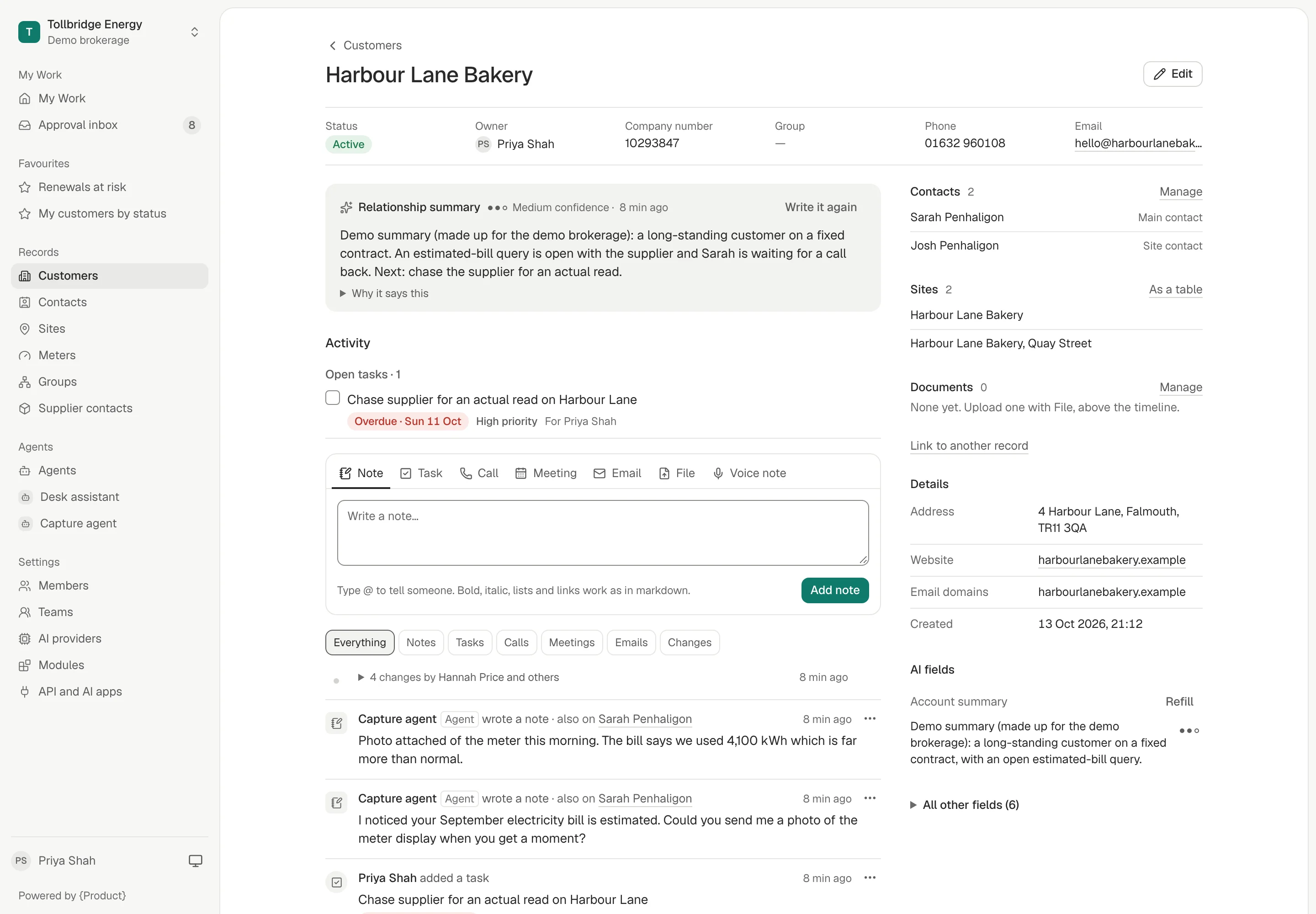
A call transcript, a voice note after a site visit or an email thread becomes a note on the customer and a list of follow-up tasks. Every task quotes the words it came from, so you can see why it’s there.

The Harbour Lane Bakery customer record: open tasks, and the activity timeline with tasks the Capture agent added from a call, each quoting the words it came from.
Harbour Lane Bakery, with tasks the Capture agent read from Sarah’s call. Real screen, demo data.

3Ready for Ofgem’s broker rules

Ofgem expects brokers to disclose commission, show which suppliers they asked and keep the evidence. Tensio keeps it as you work: the quotes you got, what you showed the customer and when, the signed paperwork and the conversations behind it.

Get the regulation readiness checklist
4Modern and easy

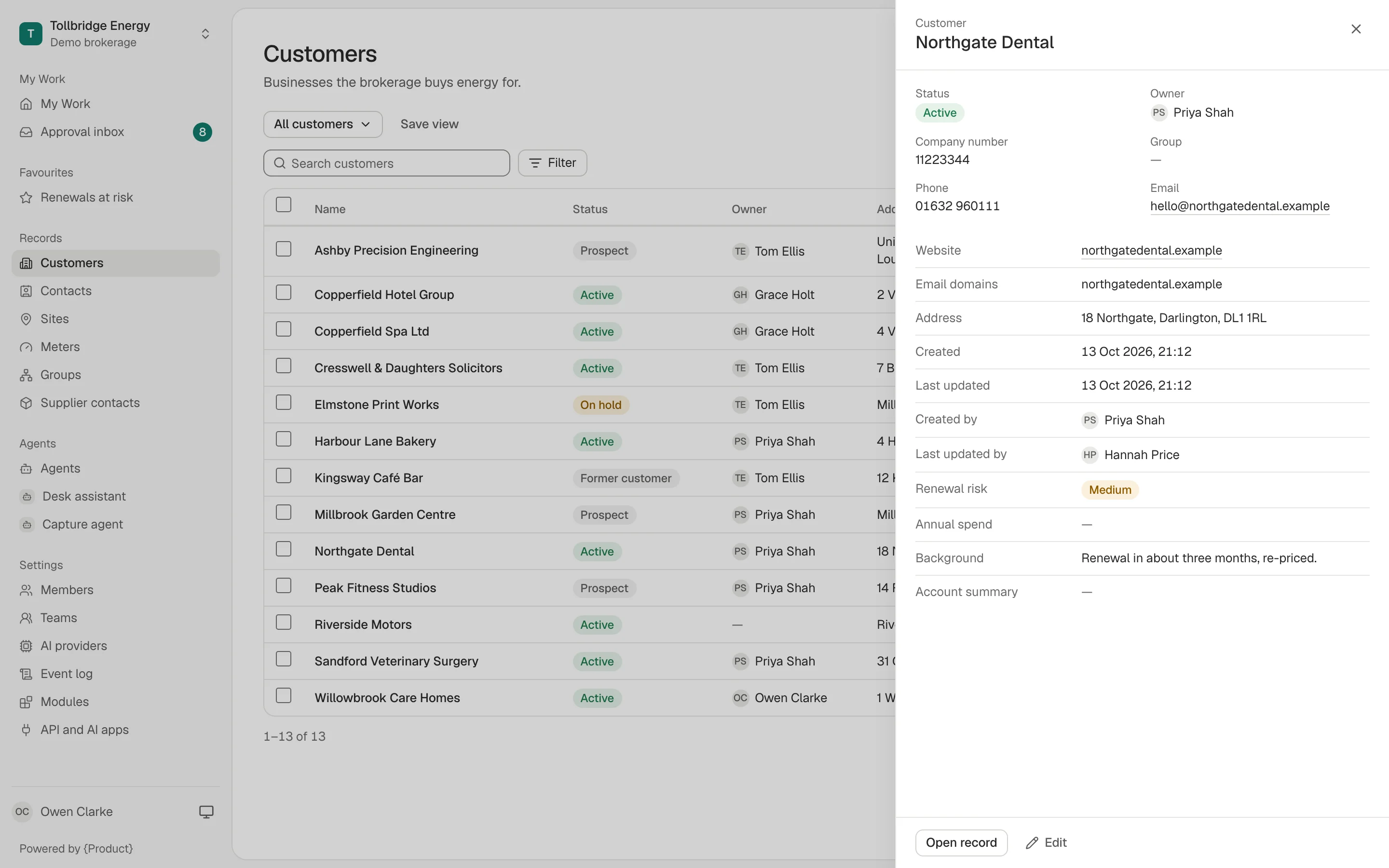
A design you’d be happy to show a customer, with the next step on every record. Add your own fields, build your own views and lay out your own record pages, without waiting on a vendor.

The customer list with Northgate Dental open in a side panel: status, owner, company number, contact details, renewal risk marked Medium, and a note that the renewal is in about three months.
Customers, with a record open in the side panel. Your own fields, views and layouts. Real screen, demo data.

We’re a brokerage too. Here’s why your data is safe with us.

Tensio is built by Nationwide Energy, a working UK energy brokerage. We built it because we needed it. We know that raises a fair question, so here is the answer up front.

Read how this works in detail
  • Nobody in our broking business can see your data. Platform access is limited to one named person, needs your consent each time, and every session is logged where you can see it.Consent and your view of the log: planned
  • Your data is walled off in the database. Each brokerage’s records are separated at the database level, and that separation is tested on every change we make.
  • It’s in the contract. We sign a data processing agreement as your processor. The contract says your data is never used for broking and your customers are never approached by us.Being drafted with our solicitor
  • You can leave with everything. Export your whole book, files included, whenever you like.Planned

Published prices. From £99 per user per month.

Minimum 3 users. View-only users are free.

See pricing

Book a demo.

We’ll show you the product on demo data, then ask about the way your brokerage works. If it fits, we’ll load a sample of your own data so you can see your book in it.

Book a demo